Tesha's Lorebuilder - Free Cyberpunk Writing Suite
A downloadable tool for Windows, macOS, and Linux
NEW!! - IMPORT FROM OBSIDIAN / EXPORT TO PDF!
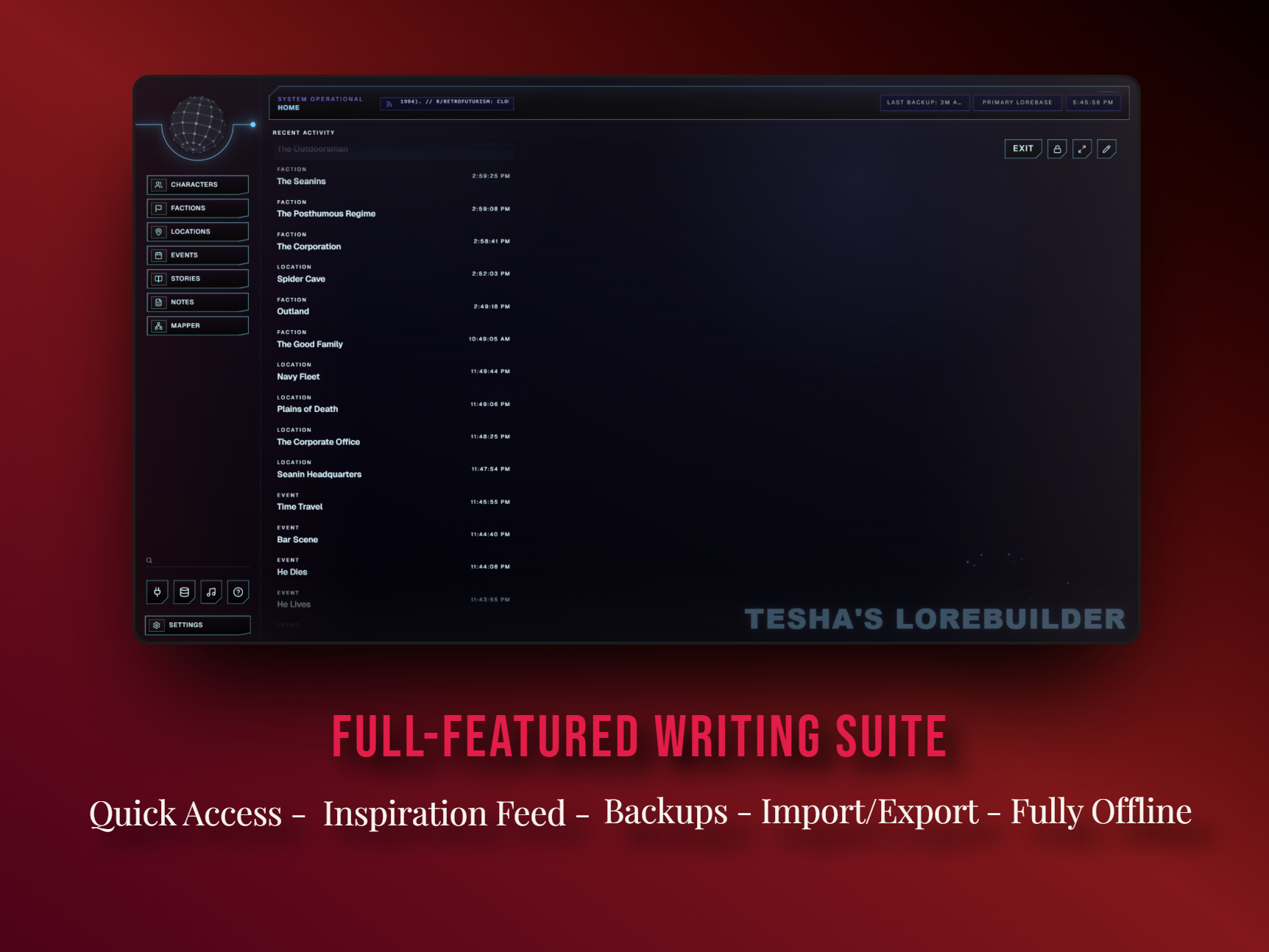
Tesha’s Lorebuilder is a free offline cyberpunk worldbuilding suite for writers, GMs, game developers, and creators who hate subscription tools.
It is designed to streamline the process of building any lorebase imaginable while cutting out one of the most annoying parts of worldbuilding: constantly having to search for assets on your own.
This was created because of my general distaste for a modern day software landscape filled with subscriptions and boring interfaces that lack the interactivity I need to be motivated to use it every day. Now, instead of bouncing between Obsidian, image searches, spreadsheets, folders, maps, music, and paying money for half of it, Tesha’s Lorebuilder gives you one private desktop workspace where you can create, organize, visualize, and expand your world without breaking your focus. (Or your wallet.)
Create character profiles, manage factions, map relationships between key figures and groups, build linked location entries, track story beats, organize reference notes, create portraits using the included graphics library, design world maps, build branching timelines, listen to music while you work, and keep your lore connected easily and quickly.
Features include:
- Free. Fully free. Forever. No subscription model. No forced payment. No locked features. Never will be.
- Offline Desktop Workflow. Built for private, local worldbuilding on Windows, macOS, and Linux. Export and import from JSON to store your lorebase anywhere and easily share with others.
- Animated Reactive UI: Gone are the days of dead, boring software. Feel your lorebase through reactive UI animations, background music, sounds, and immersive UX designed to pull you inside the world you are building.
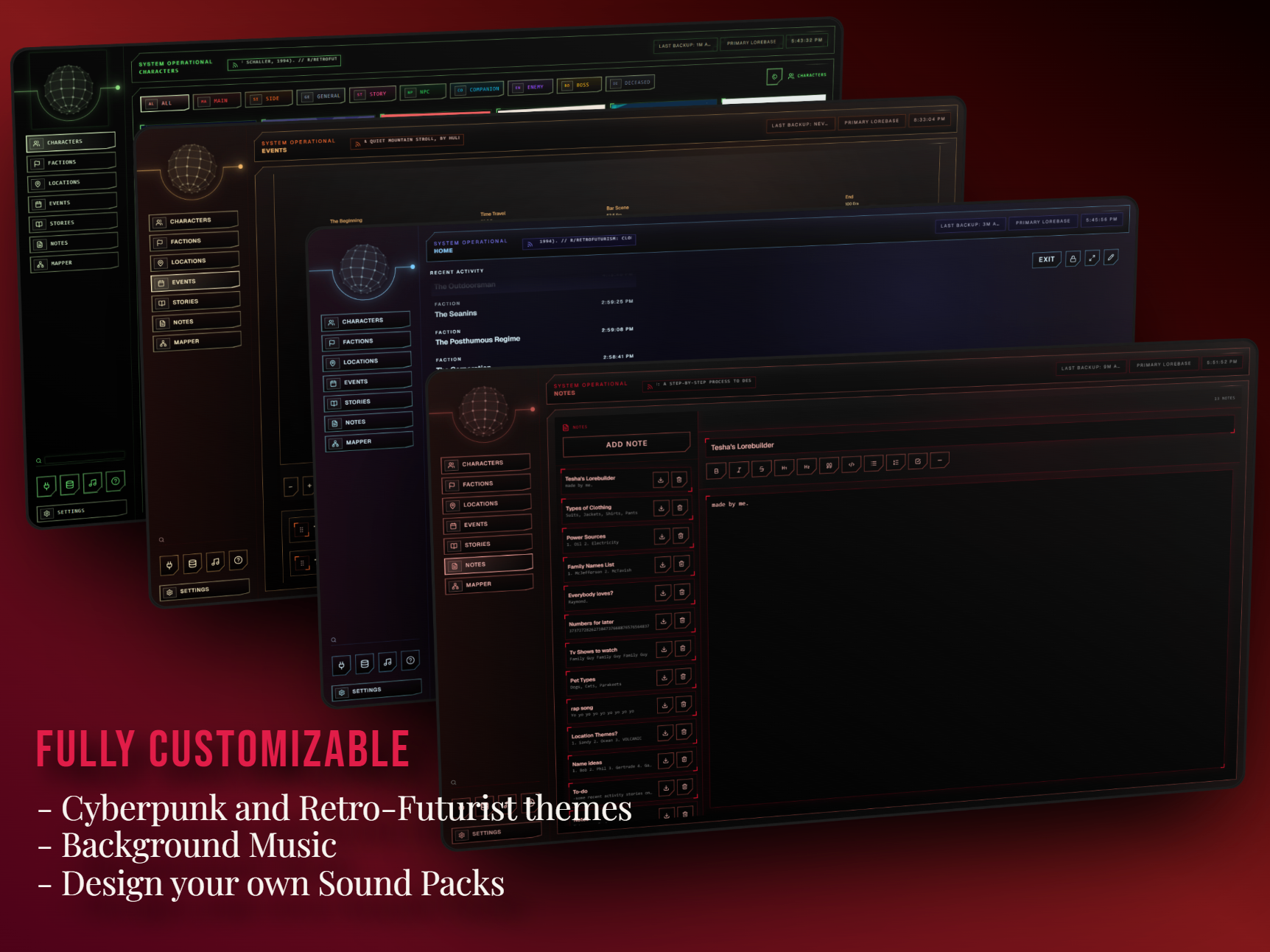
- Full Customization: Change color schemes, pin entries to the home screen, create your own soundpacks, set overlays, adjust visual behavior, and shape the workspace around the way you write.
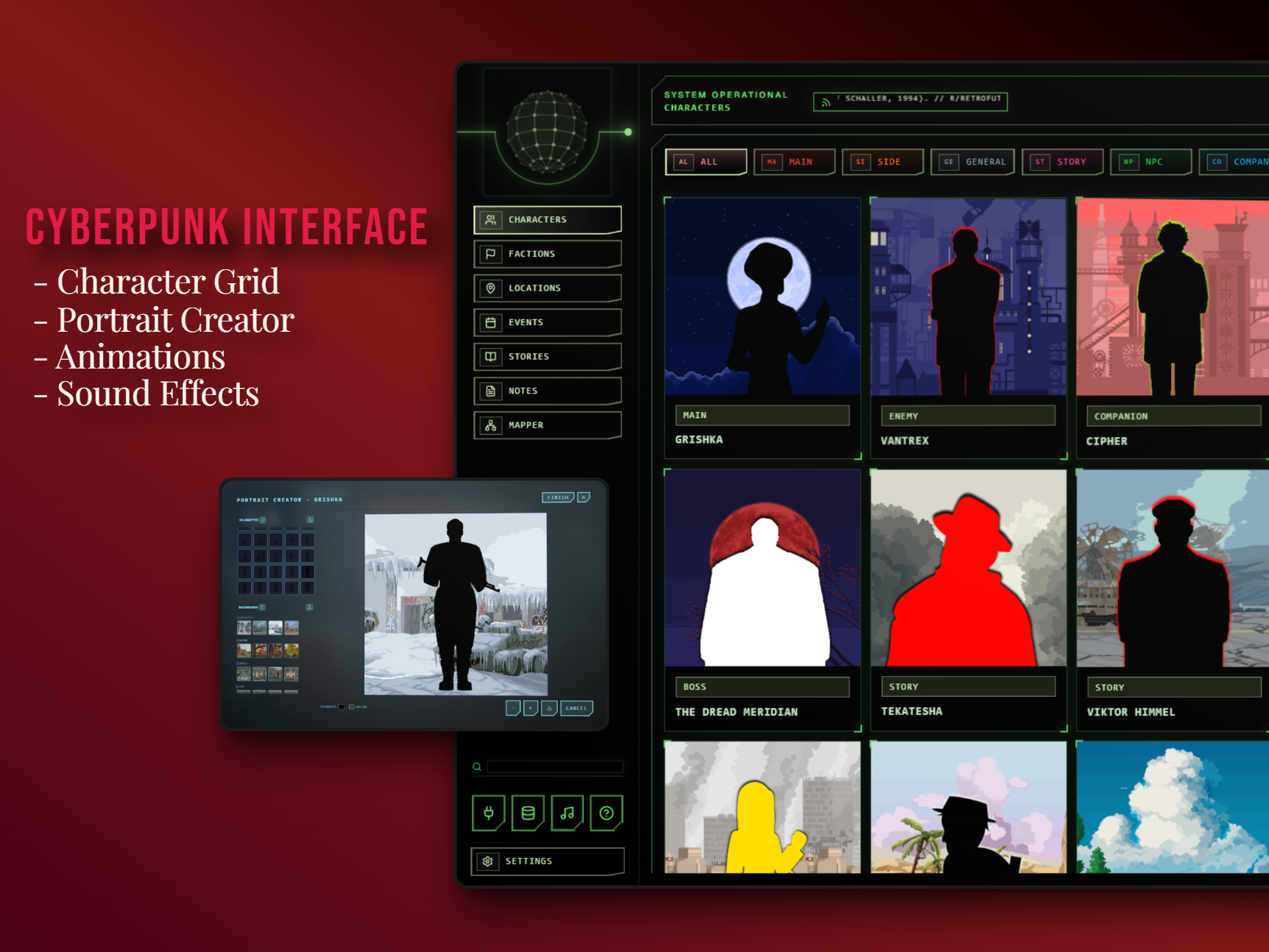
- Character Grid: No more boring lists of characters. View every character at once through a game-like character selection screen.
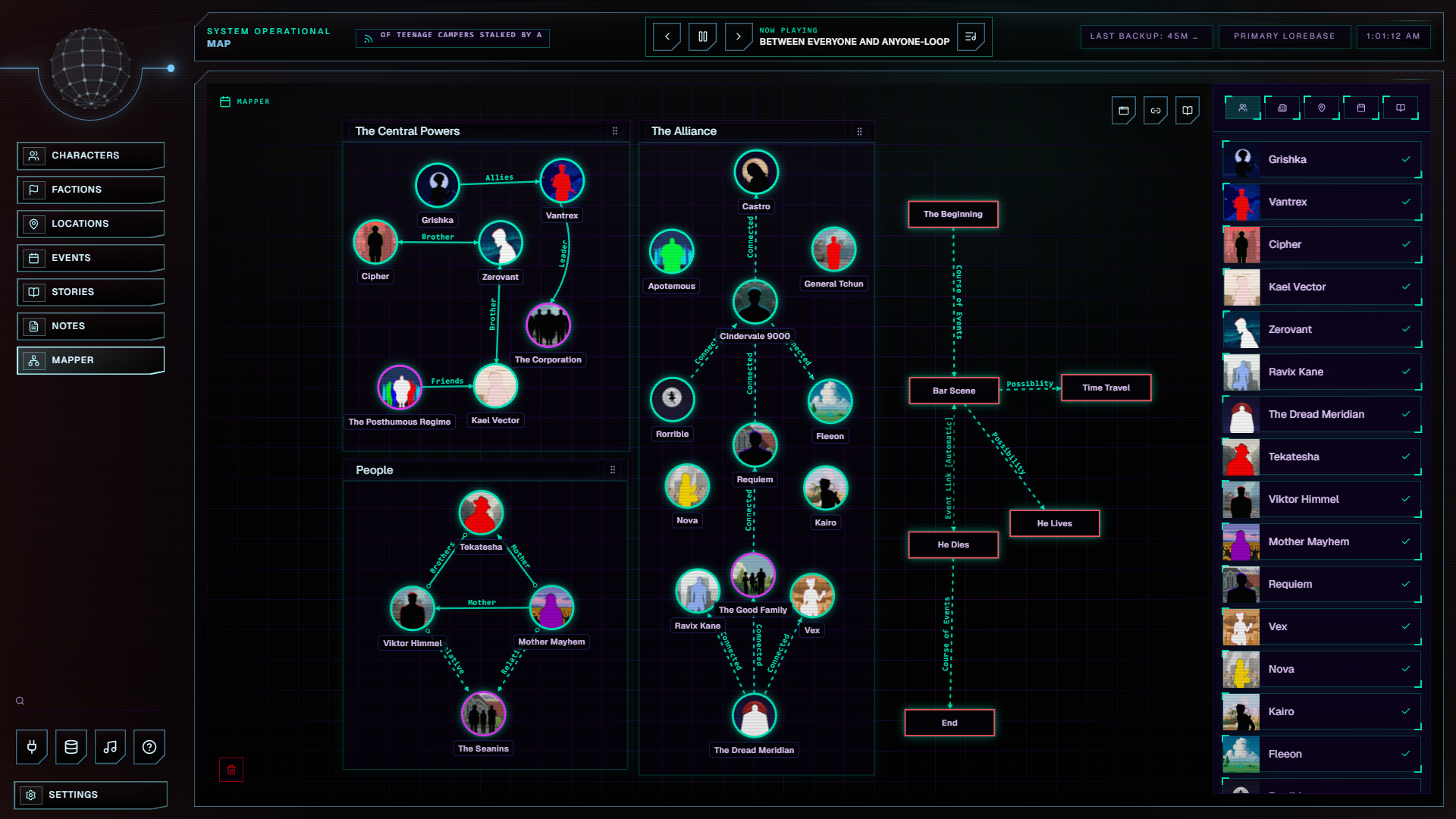
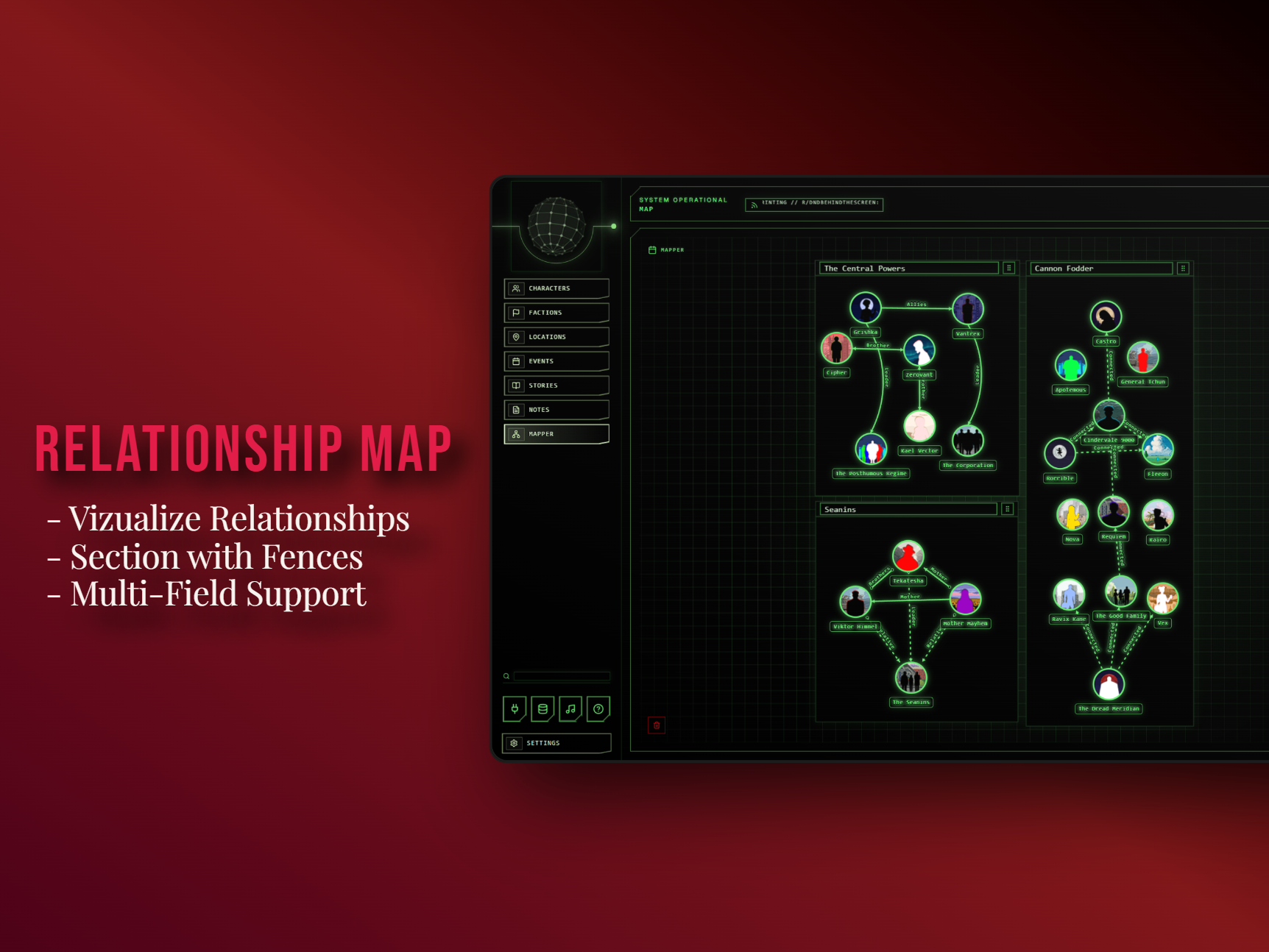
- Mapper Module: Create visual relationship maps connecting important entities, locations, characters, factions, groups, and more in an interactive interface.
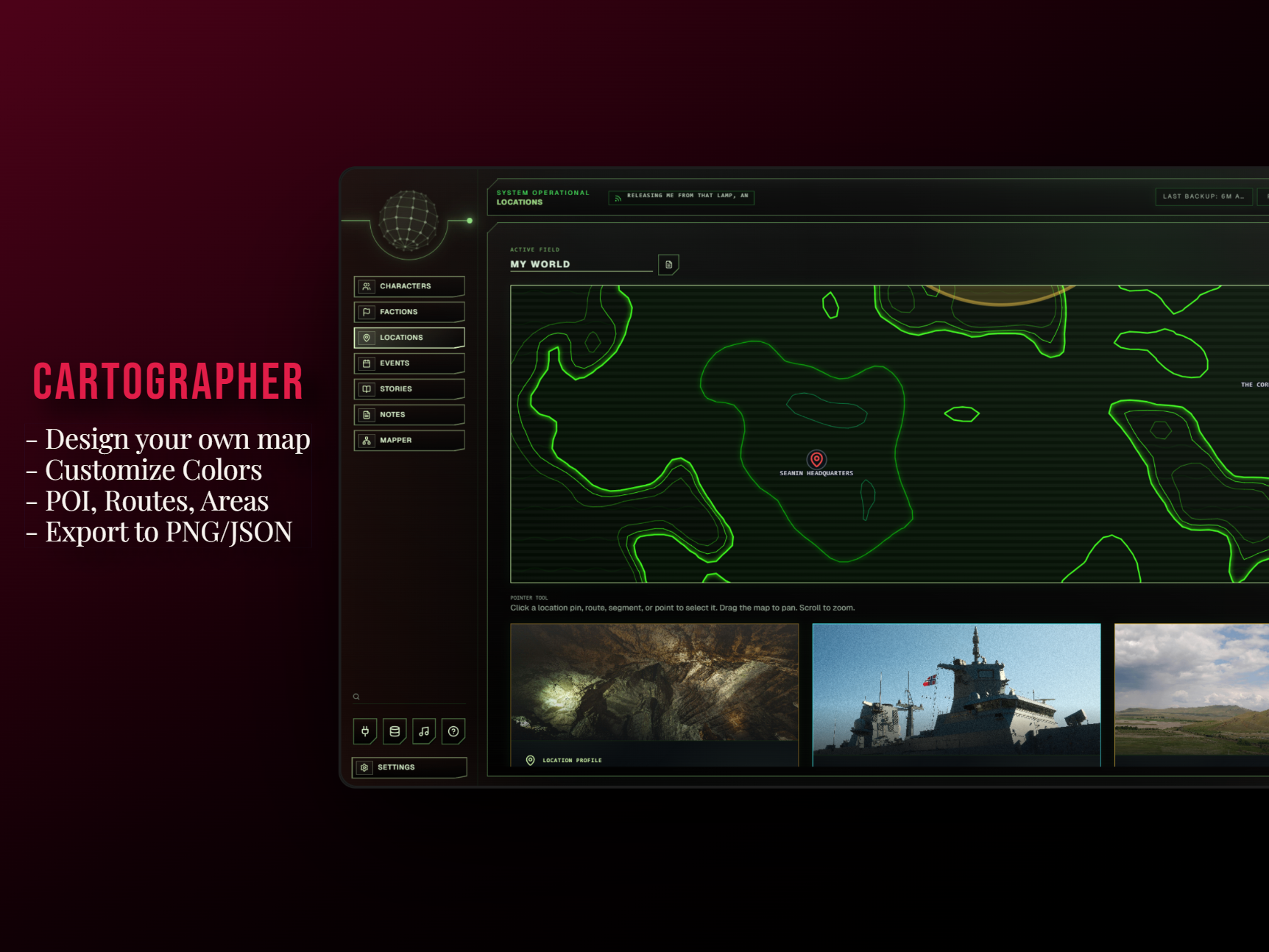
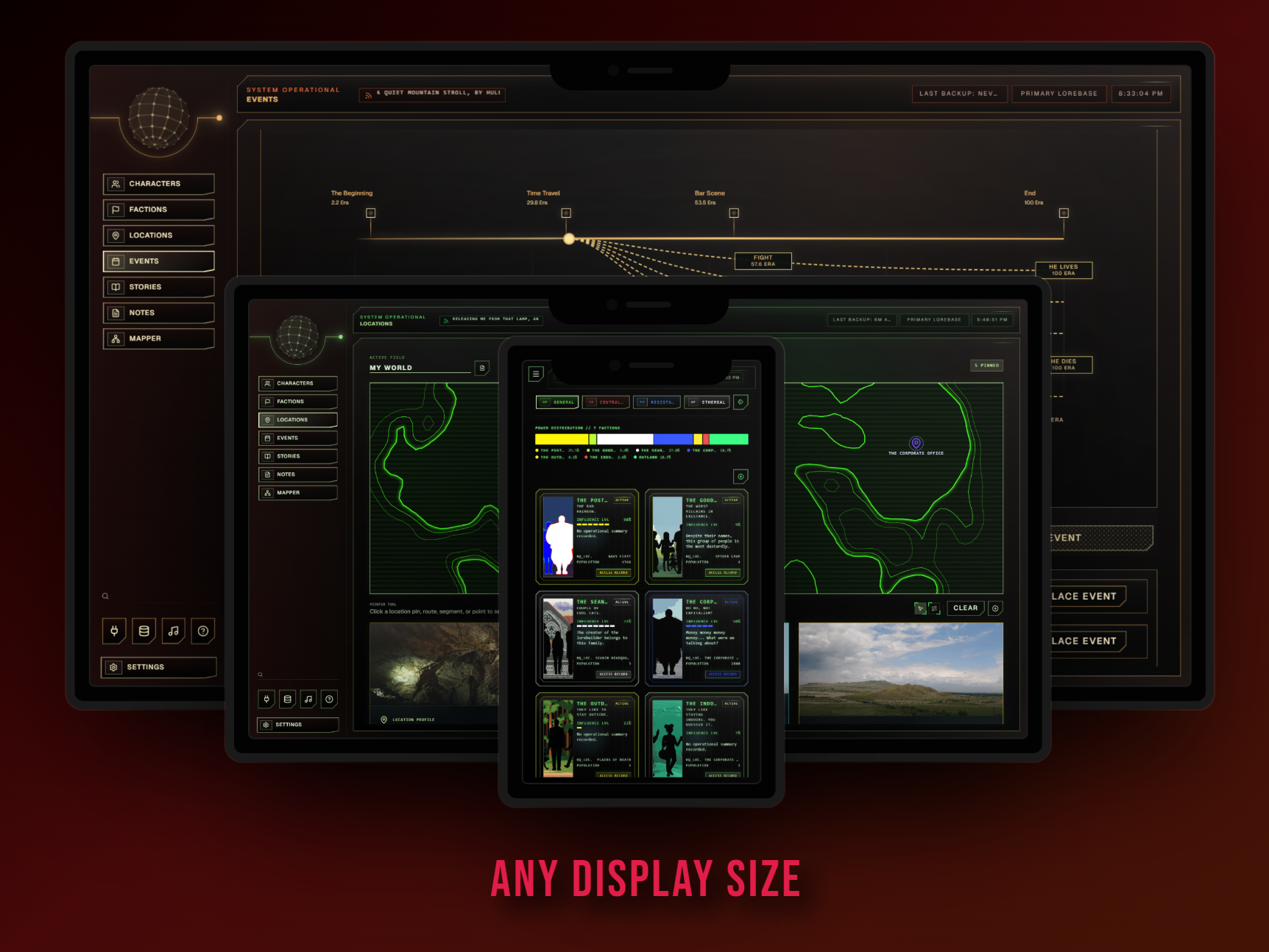
- Cartographer Module: Create island or region landmasses using an animated designer, then place points of interest across the map to serve as your world’s game map, story map, or campaign map.
- Portrait Creator Module: Create your own portraits directly inside the app using an included graphics library, reducing the need to hunt for outside assets every time you need a character image.
- Timeline Module: Create branching timelines with visible event links. Visualize multiple possible event paths, alternate outcomes, or track the actions of multiple characters across the same timeline.
- Music Player: Listen to music while you work on your lorebase. Tesha’s Lorebuilder comes with a pre-included pack of free music created by DavidKBD.
- Automatic Backups: Keep your lore safer while you work. Manual backups too.
- Linked References: Link references between entries so characters, factions, places, stories, notes, and events stay connected instead of rotting in separate files.
Who This Is For
Tesha’s Lorebuilder is built for Dungeon Masters, game developers, writers, worldbuilders, campaign creators, or really anybody like me who struggles to stay motivated while writing. I made this for you at no cost.
Enjoy the fruits of my labor.
Android version coming soon.

FAQ:
- Q: I'm running a potato. Can I still use Tesha's Lorebuilder?
- A: Yes, though you will likely have to use a minimalistic theme like the Retro theme and disable tilting in the application settings to reduce frame impact. Tesha's Lorebuilder uses a lot of interactive and 3D elements which can negatively impact the performance of some very low end devices. I tested this on an ROG Ally and an old Linux Laptop with no issues.
- Q: What is this software built with?
- A: Tesha's Lorebuilder is built on an Electron wrapper and utilizes React and Three.js for its graphical capabilities as well as a proprietary in-house sci-fi interface API developed by yours truly.
- Q: Will there be more features?
- A: Yes. Our module system allows me to easily develop and release new features without affecting your existing lorebase, as well as allows features to be toggled on and off to ensure this is not just Tesha's Lorebuilder, but yours as well. Over the next few months, this software will evolve into a powerhouse for game developers and gamemasters alike allowing for things like live session tracking between players, the ability to allow your players to connect via their phones, and much more. Join the discord to be a part of this and my other projects!
Download
Click download now to get access to the following files:
Development log
Comments
Log in with itch.io to leave a comment.
So I tried it out for a few hours, and one problem I ran into is that you can't change the image you've set for a character or location. (Or maybe I'm just blind.)
Other than that, it works great.
OK I looked and it is working correctly. Be sure you are clicking the image to fullscreen it, as it is in this lightbox that the controls for replacing and cropping your image can be found.
So I tried that, and it works sometimes, but not always. I can't figure out why it doesn't work with certain images.
In the video, I'm using an image named PXL_20250720_043530937.jpg. As shown in the video, I'm unable to edit or delete it.
(The strange mouse movement is because I'm interacting with a different application while selecting the file.)
Did I do something wrong that would cause the crop and delete options not to appear?
i see now, thank you for the video! This is because the controls are being pushed out of the lightbox margin by my responsiveness features. I will fix this by tonight
I tried to run it in linux with wine but somehow I cannot do it.
PLEASE ADD LINUX VERSION WE NEED IT SO BADLY AAAAAAAAAA
There you go pal, please let me know about performance. I had to turn off tilting in the settings on a really low end device I own, but I don't own any other linux devices so I can't really test its performance on there extensively.
Thanks! Now it runs really low fps but i'm not sure if it is about app or my device being absolute potato
Potatos get mixed results right now. Try turning off tilting and turning on the retro theme, Whats your device model?
Mapper still has performance issues but rest of it is good enough with retro theme.
I think mapper has some kind of physics simulation running, maybe you can add a option to close it? It is little annoying to me.
Great feedback, yes the next update will have this toggle in the settings for you my friend.
this looks super really cool, i might be making an ass of myself but is there any way to port this to macOS (besides using wine)? i know it’s a fair bit to ask, please only consider this once you’re fed & rested :’D
Don't you worry, I'm giving myself just a bit of a breather until tomorrow, but tomorrrow I am immediately beginning to build this as seperate executables. I've already got the architecture in place for both Linux and MacOS builds as well as an android APK already compiled. This will be available on every platform that is requested of me
Hey pal, its on Mac now. Could you maybe download it and let me know about performance and what kind of device you have?
I JUST DOWNLOADED THE UPDATE… ARE YOU INSANE? THIS IS MIND-BLOWING!!! IM IN SHOCK
Thank you so much. :) Please enjoy this fruit of my labor at no cost
This is AMAZING
OMG, I arrived at the right moment! ♥
Cool stuff I am testing it out! The UI looks great.
Thank you! Big upgrades coming soon